
RetroModem goes wireless: adding IrDA and a web interface
A short RetroModem project update about adding a 57,600 bit/s IrDA connection and a new browser-based management interface.

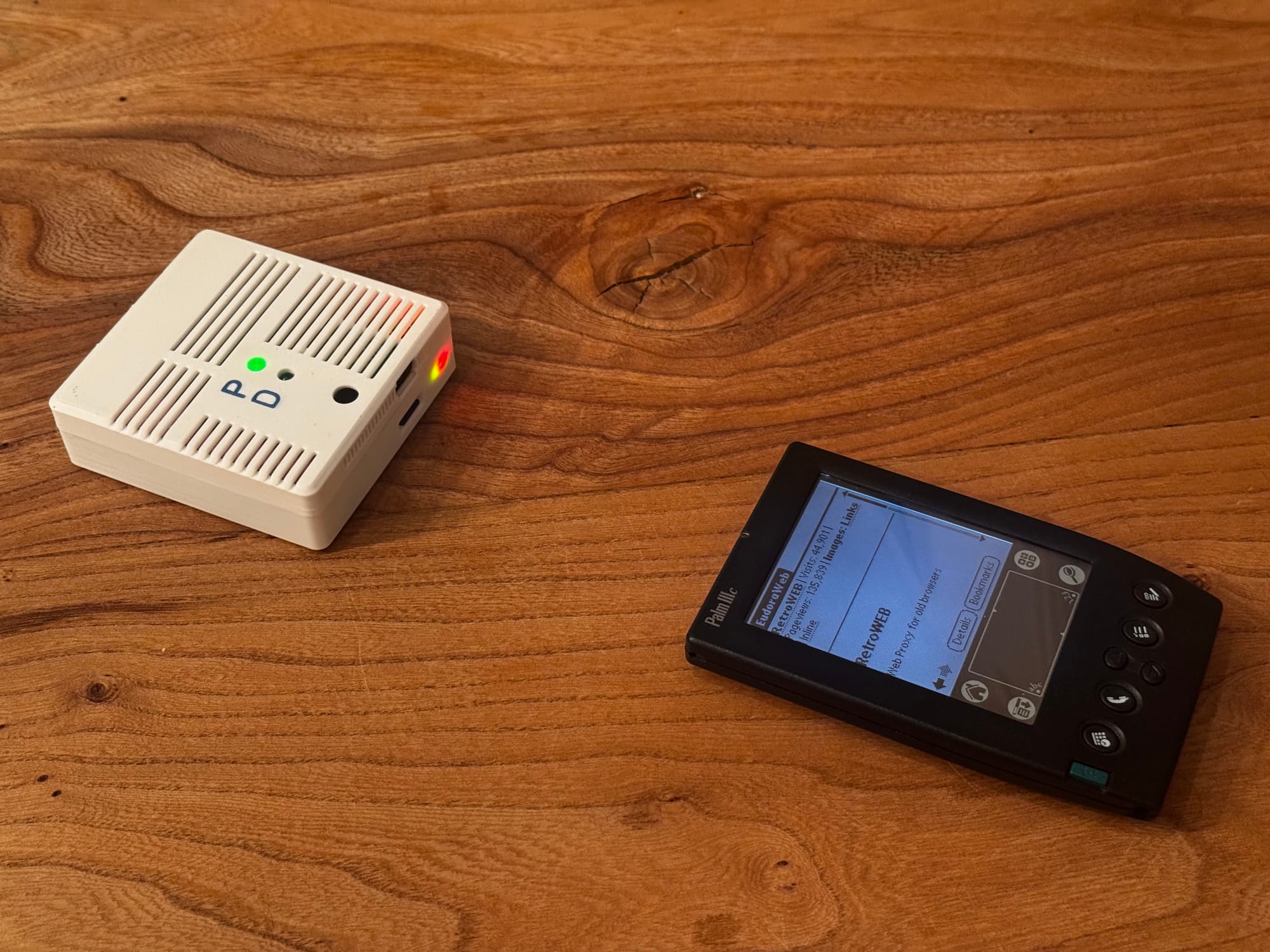
A while ago I built a Raspberry Pi-based modem that gave my Psion and Palm devices a direct PPP connection to the internet. At the end of the original article, I wrote that I wanted to try the same thing over infrared. That experiment has now become a proper part of the project.
The project has also grown into something with a name: RetroModem. It is a compact Wi-Fi bridge for classic computers and handhelds, with direct internet access, a dial-up modem/BBS mode, file transfer tools and—most importantly for this update—an IrDA connection.
Cutting the serial cable with IrDA
The most satisfying addition is infrared. Many handhelds from the late 1990s and early 2000s already have IrDA built in, so using it feels much more natural than attaching a serial cable and USB adapter. The handheld can simply sit next to RetroModem and establish a wireless PPP connection.
I used a Ming Yuan MY018 infrared transceiver board, connected directly to the Raspberry Pi GPIO. The current setup runs the infrared link at 57,600 bit/s. That is hardly impressive by modern standards, but it is a very good match for devices of this era—and seeing a Palm browse the web through an invisible beam of light is much more fun than it has any right to be.
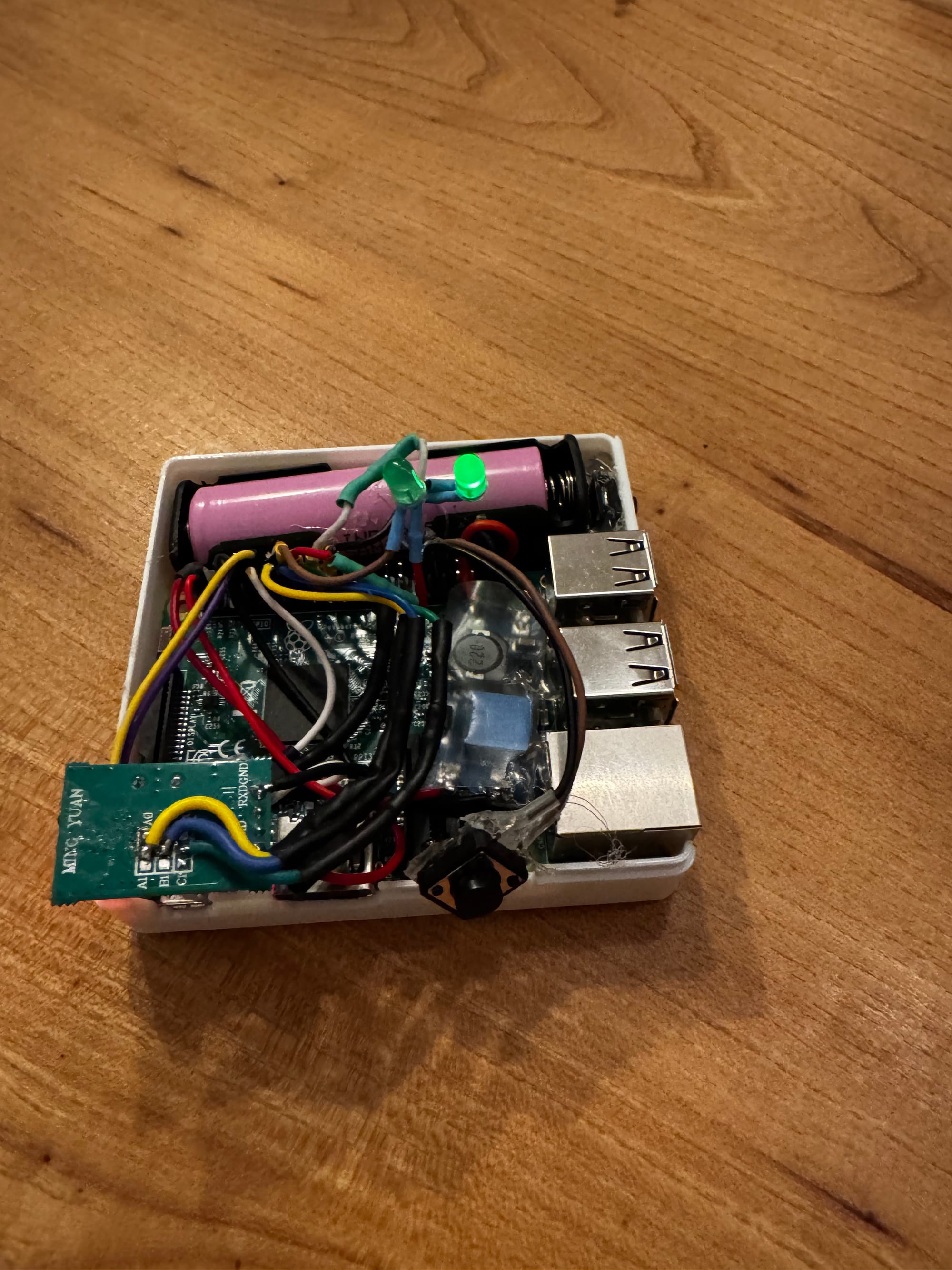
The photo above shows the inside of the current prototype. It is not exactly production hardware, but everything—including the battery, Raspberry Pi and infrared electronics—fits inside the enclosure. The external LEDs make it easy to see which connection mode is active.
A web interface instead of configuration files
The other major improvement is the new RetroModem web interface. The original project relied heavily on editing configuration files and logging in over SSH. That was fine while experimenting, but not particularly convenient for something intended to be picked up and used with different retro devices.
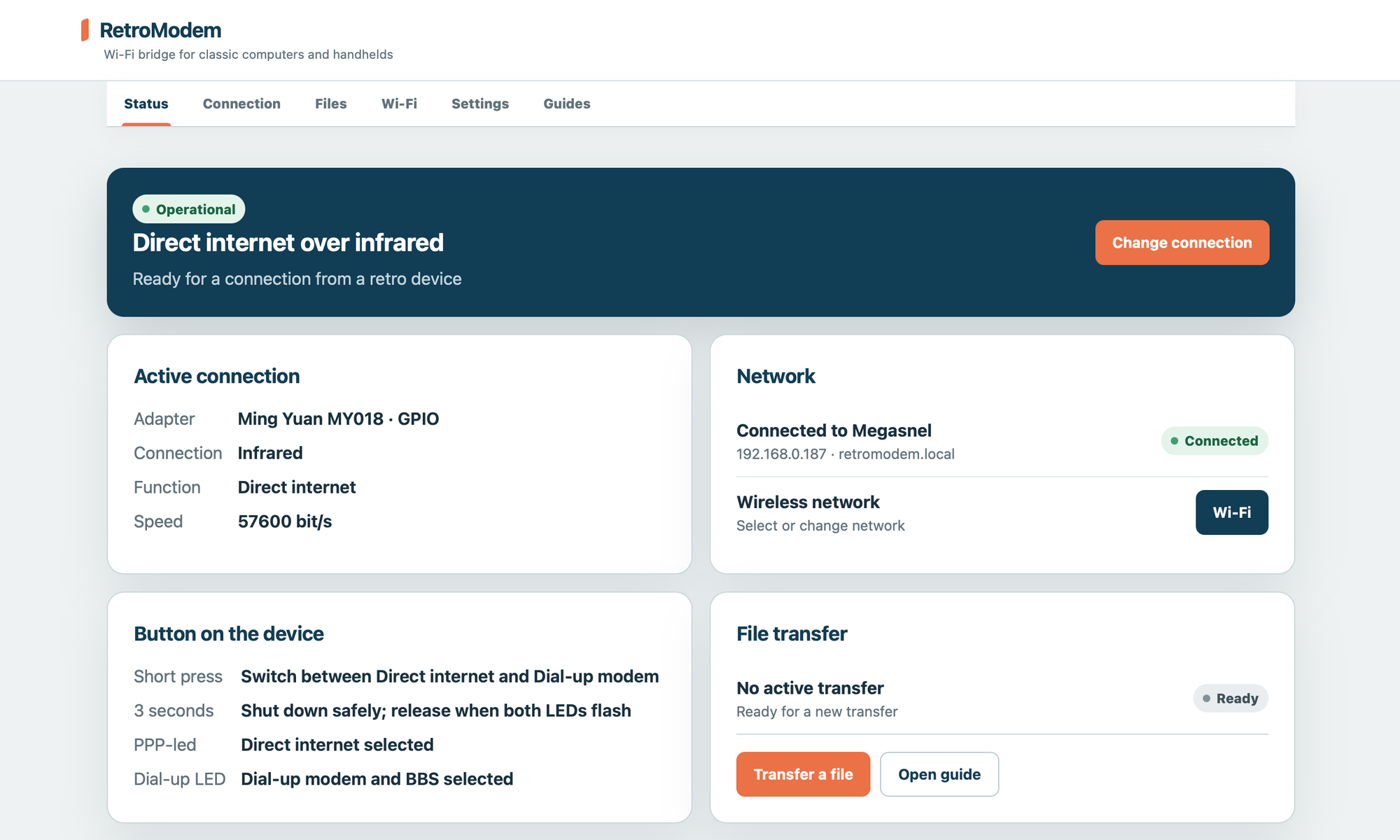
The interface now provides a single place to:
- see the current connection and network status;
- switch between direct internet access and dial-up modem/BBS mode;
- select and configure Wi-Fi networks;
- manage file transfers;
- change settings and open device-specific guides.
There is still a physical button on the unit for the things that should not require another computer: a short press switches connection mode, while holding it safely shuts the Raspberry Pi down.
Where the project stands
RetroModem has moved quite a long way beyond the collection of shell commands from the original article. The serial connection is still useful, but IrDA makes the device feel like it actually belongs next to a Palm or Psion. There is no cable between the handheld and the modem, no period mobile phone and no separate data SIM—just an infrared link to a small battery-powered Wi-Fi bridge.
There is still plenty to refine, especially inside the enclosure, but the important part works: my Palm IIIc can connect to RetroModem over IrDA and browse through RetroWEB. That makes this one of those upgrades that is both technically useful and wonderfully unnecessary.